Bank statements, sorted and matched
Upload a PDF, CSV or Excel statement. Balancd sorts each payment the way you did last time and matches each receipt to its payment, so you see what was actually paid.

Snap your receipts on WhatsApp, or let Balancd find them in Gmail or Outlook. It reads each one, suggests the category, remembers your answer and, if you use Xero, syncs it there.
For Australian sole traders, partnerships, companies and trusts.
Join the waitlist On WhatsAppOn WhatsApp
Works with the tools you already use
Send receipts from WhatsApp, Gmail or Outlook, and they're sorted and synced to Xero. You can also upload a photo, or a bank statement as a PDF or the spreadsheet file your bank lets you download.
WhatsApp GmailBalancd
How it works
No forms and no folders. Send receipts the way you already do, and tell Balancd about each supplier once.
TodayTools and equipment$186.45TodayTools and equipment$186.45Replaces your bookkeeper
Sorting receipts is the job most small businesses pay a bookkeeper for. Balancd does it for you, as each receipt comes in: it reads the details, files it under the category you chose and keeps a running GST total for you to check. No accounting words and no screens built for accountants. At tax time, your accountant gets clean, categorised records.
BalancdWho does what · 21/10/2026
| You | Balancd |
|---|---|
| Snap or forward a receipt | Reads the supplier, date, total and GST |
| Answer once, tell it to remember | Sorts that supplier for you from then on |
| Keep working | Files each receipt with its category, ready for your accountant |
| Your time | Two taps per new supplier |
| Bookkeeper | Not needed |
Features
Match payments, work out your BAS figures, send invoices and share your books, all in your browser.
Upload a PDF, CSV or Excel statement. Balancd sorts each payment the way you did last time and matches each receipt to its payment, so you see what was actually paid.
See the GST you charged and the GST you paid for the quarter, with every payment behind each number. You check it and lodge it.
Send invoices and polite reminders, and see who has paid.
See what is likely to come in and go out over the next two months, worked out from your invoices, receipts and bank statements. It is an estimate, not advice.
Give your accountant a view-only link to your books, instead of a shoebox or a spreadsheet.
Paid for work on your own card? Balancd splits out the business share, so only that part is claimed back as GST.
Who it's for
Sole traders and small businesses in Australia who would rather be on the job than in a spreadsheet.
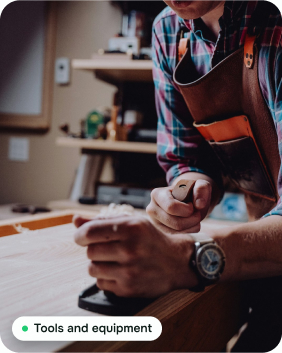
Hardware receipts, snapped at the counter.

Fuel, tolls and servicing, with the private share split out.

Supplies and travel, without the shoebox.

Software receipts, found in Gmail or Outlook.
Security and privacy
You're trusting us with your inbox and your receipts. This is how we look after them.
Your receipts and account data are stored on servers in Australia. Our Privacy Policy lists every service that handles your data and where.
Your data is encrypted when it moves and when it is stored.
To find receipts, Balancd needs permission to read your email. It only opens emails that look like receipts or invoices, and keeps only those.
We never sell your data or share it for advertising.
Disconnect Gmail or Outlook whenever you like. Close your account and we delete your data, apart from records the law says must be kept.
FAQ
Short answers to what people ask first.
Bookkeeping for Australian small businesses that works in the browser on your phone or computer. It collects your receipts from WhatsApp, Gmail and Outlook, reads them, sorts them into categories and syncs them to Xero. You confirm each new supplier once, and it remembers.
For the everyday work, often yes. Balancd collects your receipts, sorts them, matches them to your bank statements and works out your GST. It does not do payroll and it never lodges for you: you lodge your BAS yourself through the ATO's online services, or have your accountant or BAS agent lodge it. If you have staff or complex books, keep your bookkeeper or accountant.
No. Balancd works in any web browser. Nothing to install.
No. Balancd keeps your books on its own. If you already use Xero, connect it and your sorted receipts go across.
Send a photo of a receipt to Balancd on WhatsApp. It reads the supplier, date, total and GST, then suggests a category. Tap to confirm, then tell it to remember that supplier, and next time their receipts are sorted for you.
To find receipts, Balancd needs permission to read your email. It only opens emails that look like receipts or invoices, and keeps only those. It never stores anything else from your inbox, and you can disconnect Gmail or Outlook at any time.
Yes. Upload a PDF, CSV or Excel statement. Balancd sorts each payment the way you did last time, and suggests which payment each receipt belongs to.
In most cases, no. The ATO accepts a true and clear digital copy, so the photo you send Balancd can stand in for the paper one. Keep your records for 5 years. If you are not sure about a specific record, check with your accountant.
It works out the figures for your BAS and shows which receipts and payments make up each one. You check them and lodge them yourself, or your accountant or BAS agent does. Balancd never lodges for you and does not give tax advice.
No. Keep using your payroll software for wages and the tax you hold back from them (PAYG withholding).
Balancd uses AI to read your receipts, suggest what each one was for and answer questions about what is in your records, such as how much you spent on fuel this quarter. It does not give tax advice. The AI never does the maths: every total and every GST figure is worked out by fixed rules, and Balancd shows you the receipts behind every number. Nothing goes into a category until you say yes, or until you tell it to remember that supplier.
We'll tell you the price before Balancd opens. People on the waitlist hear it first.
Early access
Balancd is opening to Australian businesses in small groups. It works with WhatsApp, Gmail and Outlook, and with Xero if you use it.